

The Technology
of the Month

PureRef, an instant friend…
Our preferred tool for building reference dashboards.

Some years ago I discovered this tool from a Youtuber that was teaching its modelling workflow and defined PureRef as a must-have… I saw what he was doing and looked simple, useful and great to me!, so I downloaded it and since then I use it almost every day… and whenever I have the chance, I recommend it to everyone…I know it might be weird, but there are people out there who still do not know that this guy exists.
I normally use it to make my custom reference boards…. for instance, one day I have a new project to kickoff… then I start pulling photos to a new dashboard on PureRef simply by dragging them into the canvas, even from any explorer or Pinterest!!. I scale the ones I consider more important, and separate on another space within the same blackboard, the less representative that may help later when looking for more inspiration.

- WEB: PureRef
- Last Release: 1.11.1
- Price: You can select any amount you consider to contribute to the project.
1. Downloading the software.
Pretty much is beyond simplicity. The page to download it is this: Download | PureRef
Functional, simple and direct to the subject without artifices.
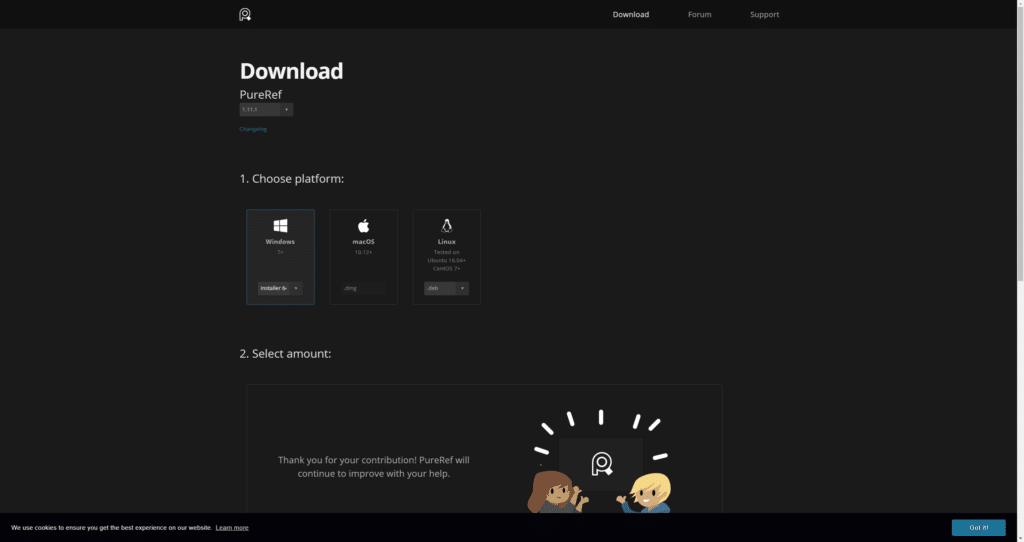
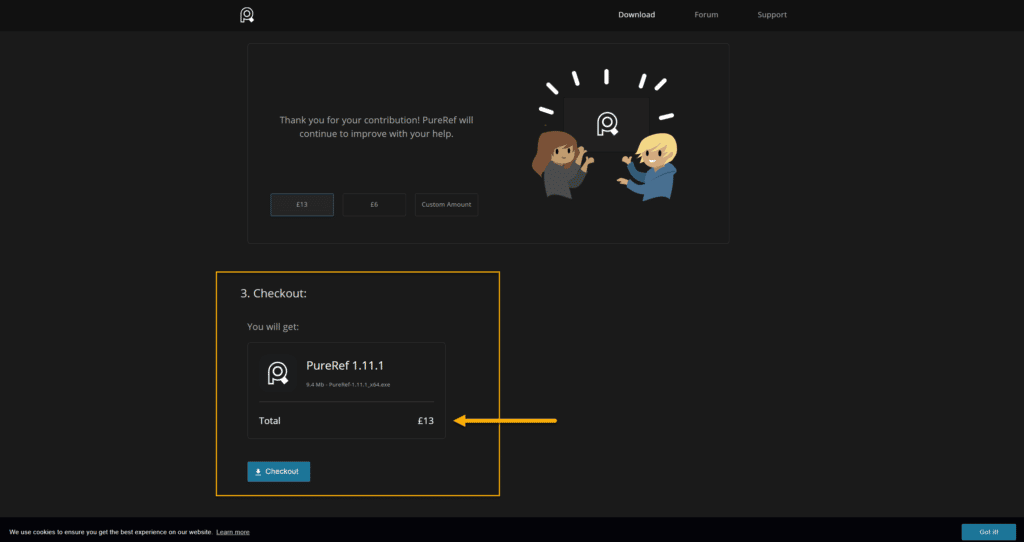
Once selected your SO, in the above section, you need to select the price you want to pay for it where zero is also an option. In my case, I downloaded it for free and after verifying its benefits I went back and I paid my contribution.
2. Features and Shortcuts.
Within the same web, you can go to the Support > Keyboard shortcuts to get an idea about the things you can do with it simply using keyboard combinations. I leave you here the link: All shortcuts | PureRef
On this other link: Features | PureRef you can also see the main features of the program like some of the ones I list below…
1. Always on top/ Always on bottom: With this option, you will have it all the time on top or behind other screens, which is good for example to work with ZBrush, Maya, Substance Painter… as will remain on top during your large modelling sessions.
2. Lock window: Just do not move it by default.
3. Transparent to the mouse: Click through PureRef.
4. Overlay mode: This will make the background disappear just leaving the photos floating on your screen. Very cool…
5. Notes: Now you can write notes on your board and scale, and rotate the text.
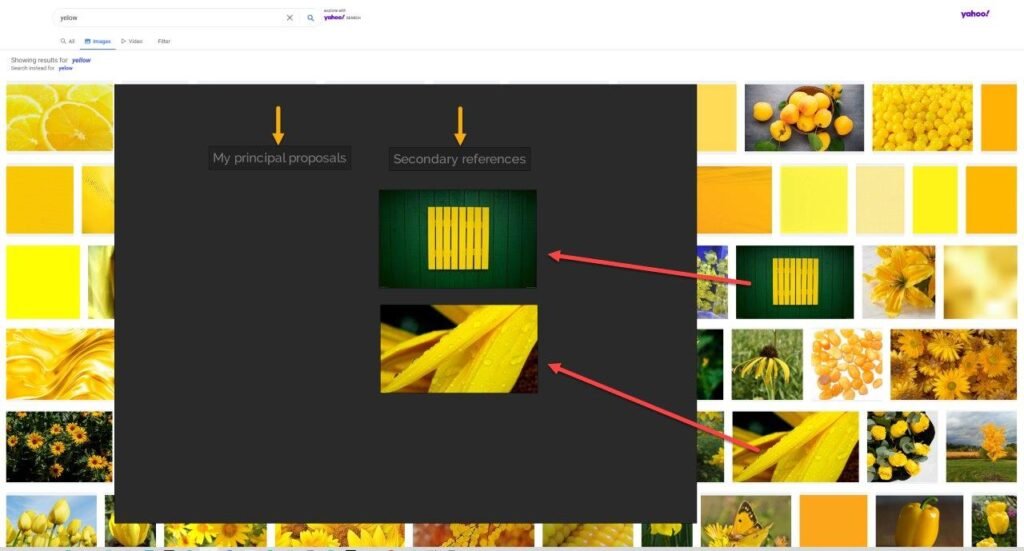
We can drag and drop images from any explorer directly to our canvas and use text tags to whatever crossed your mind.
6. Snapshots: Simply “Print Screen” and Control+ V to paste the captured data to your dashbord. This also is compatible with the Snagit selection.
7. Arrange Images: Select all your images on the canvas and Arrange them by Optimal, Name or Addition.
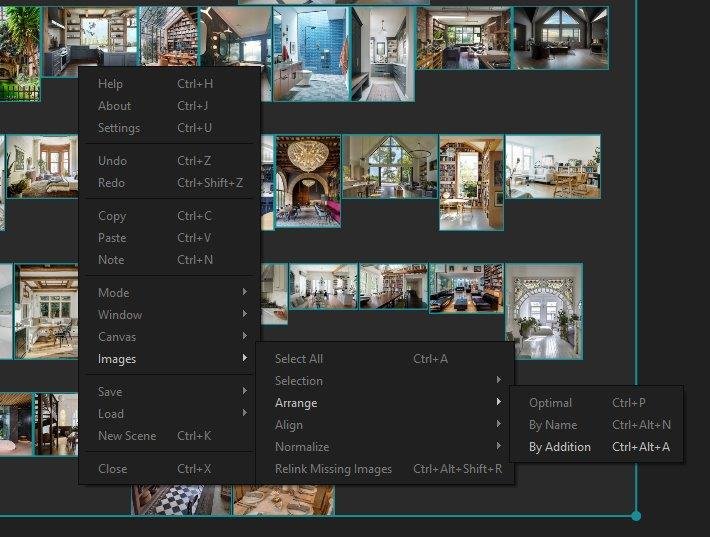
8. Crop Images: Hold “C” and crop your image!
9. Grey Scale: You can turn on Grey Scale on all your canvas by pressing Control + Alt + G
I just pointed to some of the most important features but you might find some other I forgot to mention that could be even more important than these for you.
3. Day to Day.
You downloaded PureRef and you are becoming a bit anxious as you do not know what to do with the black panel… these are the basics I normally use on a day to day basis.
Move the canvas: Drag it with RMB (Right Mouse Button).
Increase/ Decrease the size of the canvas: Get close to the end of the black canvas and you will see the arrows to change the shape, then now use them by clicking the LMB.
Zoom IN/OUT: Double Click in the picture you want to Zoom In/Out.
Resize/ Scale: Simply drag with the LMB the corners of the picture. You will see how it is offered both options.
Moving Pictures along the canvas: Drag with LMB the picture you need to move.
Selecting more than one picture and arrange them by Optimal: Drag from a point of the canvas there is no picture and you will see the bluish selection, once highlighted the desired photos click Control+P.
What do you think about this tool? …Leave us your thoughts in the comments section below.

Miguel Angel Torio
HandyTales Founder & CEO




Yo, anyone heard of aog777apps? Downloaded it yesterday and the interface is pretty intuitive. Seems legit so far, got some cool options. Give it a look at aog777apps
Ber365login, another login page. Hopefully the interface is seamless for you. I tested it and it loaded fine. Here’s the express lane right here: ber365login
Heard good things about in7game and it lives up to the hype. Fun games and a cool community. Dive in! Play now at in7game
188betdangnhap? Cái này thì khỏi bàn rồi, dân chơi lâu năm ai mà không biết. Uy tín thì khỏi chê, chỉ lo không có tiền mà chơi thôi. Must try 188betdangnhap.
Alright mates, Win88blueslot is the spot for a decent flutter. I’ve had a few good spins there. Give win88blueslot a go, yeah?
Looking to dive into some cockfighting action? Sv388 Login Juraganslot’s got ya covered. Just signed up and it’s pretty straightforward. Check out sv388 login juraganslot.
Anyone tried Go99globe yet? Thinking about checking it out. Seems like a decent option for some online betting. Might give go99globe a punt soon.
Win888soicau isn’t too bad. Pretty standard setup, but the odds seem fair. Depositing was easy, it recognized my card details immediately so I’ll continue to test it out. Have a look at win888soicau to see if you agree.
Hopped onto 29betcasino for a bit. It’s got a decent vibe, games are pretty smooth. Check out 29betcasino when you get a sec
Yo, pk777gameapk! Just tried this site, pretty slick design and the games loaded up quick. Seems legit, definitely gonna spend some more time here. Check it out! pk777gameapk
Alright, q555game, you’re up. I’m hoping for some fast-paced action and some big payouts. Come on, jackpot Come on money Don’t let me down. q555game
Checking out smbet casino. Looking for a solid online casino with good bonuses and a variety of games. Hoping to find a new favorite I sure hope it meets my standards. smbet casino
Gonna download the superijiliapp and see what it’s like. Hoping it’s a fun and engaging app with something worthwhile to offer. Fingers crossed I’m not wasting my storage space. superijiliapp
Playojoonlinecasino, man! I tried it on a whim and it surprised me! It’s easy to use and there are different varieties of the same games. If you need something new, check out playojoonlinecasino.
I signed up to bet7klogin a while ago and have had fun since. The site navigation is pretty smooth too. You should give bet7klogin a look. You can use my invite code, ha!
Yo, just tried out n88casino and gotta say, it’s pretty decent. The games loaded fast and I even snagged a small win. Definitely worth checking out for a quick flutter. Check it out here: n88casino
Put in a little time on lucky47 the other night. Simple, straight to the point and a refreshing change of pace. Definitely worth a little peak: lucky47
What up, peeps? Give 9377win a look. Pretty cool, with a good selection to choose from. You might just find your new favorite thing here. Don’t sleep on this one! Get on 9377win you might get lucky!
Yo gamers! I’ve been using p9999 and man, it’s a game changer. It’s got everything I need. You should definitely check this out if you are serious about your game. Super helpful stuff. Have a look p9999!
[4148]tigerbet Official Login | Pinakamabilis na GCash Casino sa PH,Mag-sign up sa tigerbet para sa legit online slots at mabilis na GCash transactions. I-download na ang app at simulan ang paglalaro ngayon! visit: tigerbet